6 modes
LayersHide or change Hourglass's own layers, or add snow, fireworks, lights and more, on the preview.Try layers
Layers inside this visualizer: hide or change the look's own layers, or add snow, fireworks, lights and more on top.
The look's layers
- General background
Position and size
- The room
Position and size
- The hourglass
Position and size
- The glints and lights
Position and size
- Song title
Position and size
Added layers (0/6)
No layers added yet.
"Use in Classic" and "Open in Studio" keep these layers. All about layers
Engine 75 of 75
Audio-Reactive
Timekeepers
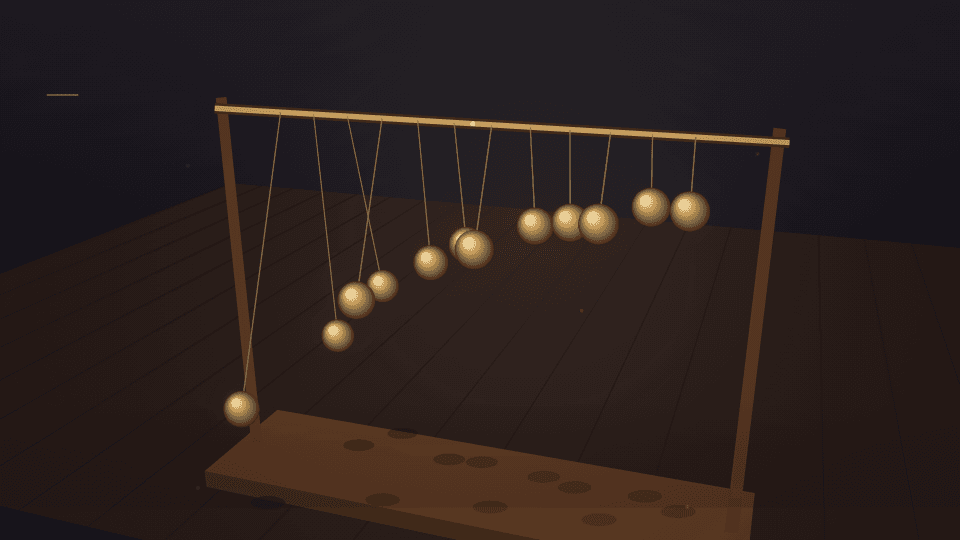
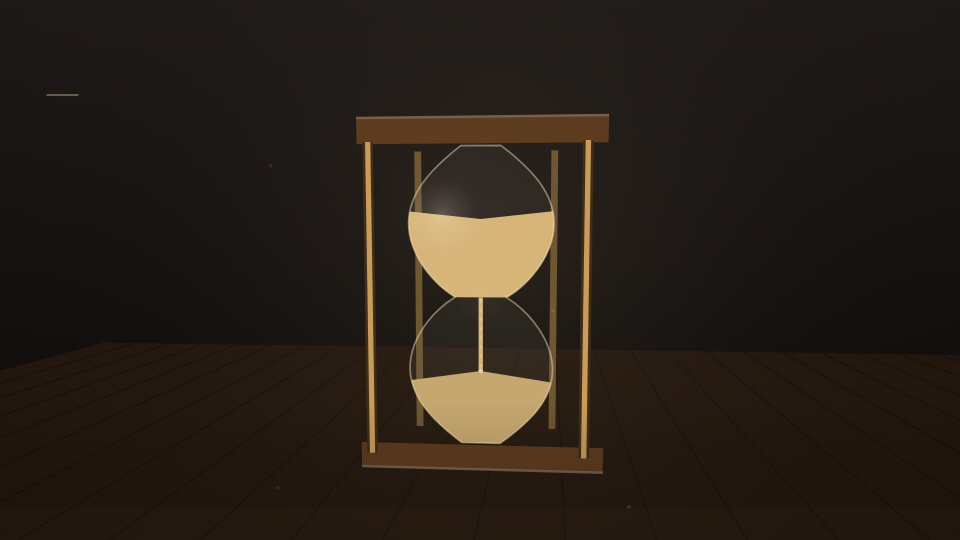
Six of the old ways of keeping time, run by your song's clock instead of the hour: an hourglass that empties and turns over every phrase, a sundial whose day lasts a phrase, a water clock dripping on every beat, a candle burning down a band a bar, a metronome ticking your exact tempo and a calendar that flips a page over every bar.
- 6 modes
- Setup easy
- 4:5
- 1:1
- 4:3
- 16:9
- 9:16
- 21:9
Embed on your websiteWordPress, Squarespace, Webflow, Shopify, Wix
Put this look on your own site: in a page, or behind and over the site you already have, without changing your theme. It sets no cookies and shows no ads. How it works, and the WordPress plugin
Preview
With the free Sonic Weaver Embed plugin: paste this shortcode, or add the Sonic Weaver block and pick the same settings in its sidebar.
[sonicweaver look="timekeepers/hourglass"]Every embed carries a small “Made with Sonic Weaver” mark. To have it removed, message us.
- Modes
- 6
- Engine version
- 5.23.0
- Desktop budget
- 150
- Mobile budget
- 70
Preview video
Timekeepers visualizer: Hourglass preview
Hourglass, 8 seconds on a steady 120 BPM test beat, looping with no sound. Sand running through the neck for seven bars, heaping below with a puff on every beat, and the glass turning over in the eighth. The live preview at the top plays the same look: pick a song there to watch it follow your own music.
What it builds
What this engine can build
Old timekeeping instruments kept by the song: hourglass, sundial, water clock, candle clock, metronome and calendar. Start with Hourglass, then combine it with logos, masks, captions, camera layers, and global effects without changing document formats.
- Editable 2D and 3D geometry, transforms, motion, and materials
- Every property has a default, keyframes, and bounded audio routes
- Blend with masks, media, text, logo, character, camera, light, and effect layers
Where it fits
Where Timekeepers fits
- Look
- Audio-Reactive
- Spectrum, bars, waveforms, and radial systems
- Setup
- Ready as-is
- The defaults are a finished look: attach audio and export
- Render load
- Moderate
- Fine on any current machine
Individual layers
Layer assets for Timekeepers
Browse every visualizer’s current and earlier look layers, plus the universal added-layer presets. This page starts with Timekeepers selected; choose any asset to open it in Classic.
Loading layer assets… · Showing Timekeepers and universal added layers first. Select any visualizer to browse its full set.
Each preview is the layer asset’s transparent still. Use it in Classic, or visit the full animated library to preview and download it.
Controls
Hourglass controls
Every control this mode has, grouped by what it changes, with its starting value. Each one is yours to change in Classic and Studio; the ones marked “Follows the music” can also be driven by the song through an audio route.
Style
| Control | Default | Music |
|---|---|---|
| Primary colorPrimary color used by the engine palette | #ffe2a8 | Set by you |
| Secondary colorSecondary color used by the engine palette | #6b4423 | Set by you |
| BackgroundBackground used by the engine palette | #140f0c | Set by you |
| Color modeDuo palette, primary→secondary gradient, or full rainbow sweep | duo | Set by you |
Transform
| Control | Default | Music |
|---|---|---|
| OpacityVisualizer opacity | 1 | Set by you |
Audio
| Control | Default | Music |
|---|---|---|
| SensitivityBounded overall audio response | 1 | Set by you |
| Spectrum rangeHow much of the 40 Hz to 14 kHz range the visual spans, from the bass up. Lower it to give the bass and mids more of the bars | 1 | Set by you |
| Frequency scaleHow the bars are spread across the frequencies. Log spreads them by octave, mel by how pitch is heard, and linear by hertz, which gives most bars to the highs | log | Set by you |
| Auto-levelLifts every part of the spectrum to its own recent range, so quiet highs move as much as loud bass. A note held for several seconds settles lower as it adapts. 0 shows the raw spectrum | 0.8 | Set by you |
| Primary audio source | bass | Set by you |
| Frequency focusWhich part of the spectrum drives this visual; while no explicit audio source is set, the motion envelope follows this selection | full | Set by you |
| Burst intensityGlow and trail swell on sharp hits; 0 keeps bursts off | 0 | Set by you |
| Audio contributionMaximum contribution from the primary audio route | 0.55 | Set by you |
| Audio dynamicsHow much of the band's movement reaches the visual. 1 = full dynamics; 0 holds it at a steady level for a calmer, more constant look | 1 | Set by you |
| Audio attackEnvelope attack in milliseconds | 45 | Set by you |
| Audio releaseEnvelope release in milliseconds | 240 | Set by you |
| Beat responseHow hard every engine hits on each detected beat | 1.2 | Follows the music |
| Beat smoothingHow long each beat hit rings out before it settles | 0.35 | Follows the music |
| Beat attackSeconds for a hit to swell to full. 0 snaps instantly | 0 | Follows the music |
| Beat releaseSeconds for a hit to fade, overriding Beat smoothing. 0 follows it | 0 | Follows the music |
| Beat sync allRoute beat energy into spawn, shake, pulse, speed, and scale | true | Set by you |
Effects
| Control | Default | Music |
|---|---|---|
| Ambient bedProminence of the standing background layer behind the beat-born elements | 1 | Set by you |
| Wake lengthHow far motion trails stretch behind beat-born travelers; 0 removes the wake | 1 | Set by you |
| Glow | 0.55 | Follows the music |
| Global glowShared emissive strength across the frame | 0.35 | Follows the music |
| Pulse intensityBeat pulse scale for spawn, size, and shake | 1 | Follows the music |
| Beat shakeFrame kick strength on each beat | 0.6 | Follows the music |
| Motion echo | 0 | Follows the music |
| Blur | 0 | Follows the music |
| Chromatic aberration | 0 | Follows the music |
Geometry
| Control | Default | Music |
|---|---|---|
| Geometry scale | 1 | Follows the music |
Motion
| Control | Default | Music |
|---|---|---|
| Motion directionRotate the animated visual pass to face this direction; the general background stays fixed | none | Set by you |
| SpeedTime-based motion; default major cycle is 6–12 seconds | 0.1 | Follows the music |
Shape and symmetry
| Control | Default | Music |
|---|---|---|
| Symmetry and tilingReshape the whole picture: mirror it, fold it into a kaleidoscope, or tile it (the plane groups p1, p2, p4m and p6m) | none | Set by you |
| Kaleidoscope foldsHow many mirrored copies go round the kaleidoscope | 6 | Set by you |
| Symmetry angleTurns the mirror line, or the kaleidoscope, in degrees | 0 | Follows the music |
| Kaleidoscope spinHow fast the kaleidoscope turns, in turns per bar of the song (0.25 is once a phrase) | 0 | Follows the music |
| Tile sizeEach tile's size as a share of the frame | 0.5 | Set by you |
| Tile gapThe gap between tiles, as a share of a tile; it shows the background colour | 0 | Set by you |
| WarpBend the whole picture: a twist, a bulge, waves or ripples that move once a bar, a polar unroll, or a fisheye lens | none | Set by you |
| Warp amountHow strong the warp is | 0.5 | Follows the music |
| Warp centreWhere the warp is centred in the frame | centre | Set by you |
Instrument
| Control | Default | Music |
|---|---|---|
| Beat accentHow strongly each beat marks the instrument: the sand's stream, the drop and its ripples, the flame's flare, the metronome's tick, the calendar's page | 0.8 | Follows the music |
| FinishThe metal of the fittings: Auto keeps each look's own, or copper, brass, chrome, or your palette's colours | auto | Set by you |
Atmosphere
| Control | Default | Music |
|---|---|---|
| LightHow bright the room's lamp is | 1 | Follows the music |
| DustDust drifting in the lamp's light | 0.3 | Follows the music |
Text
| Control | Default | Music |
|---|---|---|
| Title and artistShow or hide the song title and artist this visualizer draws. | auto | Set by you |
Keep looking